

 A100 SXM4 40GB

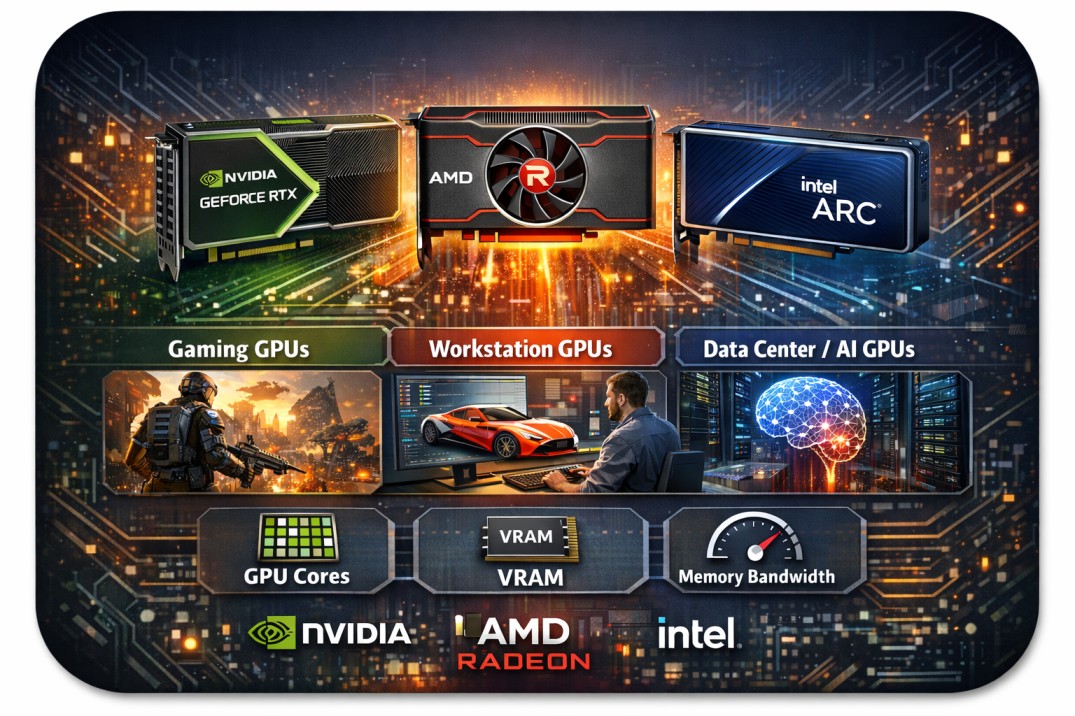
What is a GPU?
A GPU (Graphics Processing Unit) is a specialized processor designed to handle tasks that require numerous small calculations simultaneously, particularly in graphics, image processing, video, and AI workloads.
Unlike a CPU (which has a few powerful cores optimized for sequential tasks),
A GPU has hundreds to thousands of smaller cores designed for parallel processing.
That makes GPUs ideal for:
- gaming graphics & rendering
- video editing & 3D modeling
- scientific computing & simulations
- machine learning & AI training
Key Components of a GPU
Here are the most important parts and what they do:
GPU Cores (CUDA / Stream / XMX units)
- NVIDIA – CUDA / Tensor cores
- AMD – Stream processors / Matrix cores
- Intel – Xe / XMX units
VRAM (Graphics Memory)
- VRAM (Graphics Memory) is the dedicated memory on a GPU that stores textures, graphics assets, AI model weights, frame buffers, and compute data so the GPU can access them quickly during rendering or processing tasks.
- Different types of VRAM are used depending on the workload: GDDR6 and GDDR6X are commonly found in gaming and workstation GPUs, while high-bandwidth memory types such as HBM2 and HBM3 are typically used in data-center and AI GPUs to support extremely large and demanding compute operations.
- Having more VRAM generally improves performance in scenarios like 4K gaming, professional video editing, AI model training, and working with large datasets, because it allows more data to be stored and processed directly on the GPU without frequent data transfers.
Memory Bandwidth
Determines how fast data moves between GPU & VRAM. Higher bandwidth = better for:
- high-resolution graphics
- AI & deep learning
- scientific computing
- HBM GPUs have extremely high bandwidth.
Types of GPUs (Based on Usage)
1) Consumer / Gaming GPUs
- These GPUs are designed primarily for gaming, streaming, and content creation, offering the performance and features needed for visually demanding and creative workloads.
- They support advanced features such as real-time ray tracing for realistic lighting and reflections, AI-based upscaling technologies like DLSS, FSR, and XeSS to improve performance without sacrificing image quality, and hardware video encoding that enhances streaming and video production efficiency.
2) Professional / Workstation GPUs
- These professional or workstation GPUs are used by engineers, animators, architects, and film studios, where reliability and precision are critical for complex workloads.
- They are optimized for applications such as CAD and SolidWorks, 3D rendering, simulation, and high-end video production, making them suitable for industries that require accurate visualization and heavy computing.
- Popular examples include NVIDIA RTX, Quadro, and Pro GPUs, AMD Radeon Pro series, and Intel Arc Pro models.
3) Data-Center / AI / Compute GPUs
- These GPUs are built specifically for AI training, machine learning inference, and high-performance computing (HPC), where massive parallel processing and extreme memory throughput are required.
- Their key features typically include specialized Tensor or Matrix compute units for accelerating AI operations, high-bandwidth HBM memory to handle large datasets and model parameters, and multi-GPU scaling capabilities that enable distributed training across clusters.
- These GPUs are widely used in cloud computing platforms, large language model (LLM) training, and scientific research environments that demand powerful computational performance.
Below, I have mentioned some of the GPU types with their features:
NVIDIA, AMD, and Intel, along with their flagship GPU families, are powering modern compute workloads across gaming, creative, professional, AI, and data center segments.
Below, I have listed some of the major GPU types from NVIDIA, AMD, and Intel, covering 6–7 widely recognized GPU categories, their key features, and resource details such as VRAM, memory type, and other relevant hardware characteristics.
NVIDIA: The Dominant Force in Accelerated Computing
NVIDIA is widely regarded as the market leader in GPU computing. Its GPUs dominate AI training, inference, HPC, and professional visualization workloads. NVIDIA’s success is driven by its powerful GPU architectures and a mature software ecosystem built around CUDA.
| GPU Family | Architecture | Primary Use Cases | Typical Users |
| H100 / H200 / B200 | Hopper / Blackwell | Large-scale AI training, LLMs, HPC | AI labs, hyperscalers |
| A100 / V100 | Ampere / Volta | Enterprise AI, scientific computing | Enterprises, research orgs |
| L40S / L4 / A10 | Ada / Ampere | Inference, media, visualization | Cloud providers, SaaS |
| RTX 6000 / A6000 | Ada / Ampere | 3D rendering, CAD, VFX | Design & media studios |
| RTX 4090 | Ada Lovelace | Prototyping, experimentation | Developers, researchers |
1) NVIDIA – GeForce RTX (Gaming GPUs)
These GPUs are primarily used for
- gaming, streaming, and content creation, where high performance and visual quality are essential.
They support modern graphics features such as
- real-time ray tracing and DLSS AI upscaling, along with AV1 video encoding and decoding for efficient streaming and media processing, while CUDA cores enable strong compute and AI-accelerated workloads.
Typical resource specifications for this class of GPUs
- include 8 GB to 24 GB of VRAM, usually based on GDDR6 or GDDR6X memory.
- with memory bandwidth ranging from around 300 GB/s to over 1000 GB/s.
- Systems using these GPUs generally benefit from 8 GB to 32 GB of system RAM.
2) NVIDIA RTX / Quadro / RTX Pro (Workstation GPUs)
These GPUs are designed for professional workloads such as
- engineering, CAD, 3D rendering, and film or VFX production, where precision and reliability are more important than raw gaming performance.
- These GPUs also typically include large amounts of VRAM to handle complex project files, high-resolution models, and detailed visual scenes used in professional production environments.
Typical resource specifications for these professional GPUs include
- VRAM capacities ranging from 16 GB to 96 GB, often using GDDR6 or ECC GDDR6 memory to provide both high performance and improved reliability.
- Their memory bandwidth generally falls in the range of around 300 to 900 GB/s.
- Systems using these GPUs commonly require between 32 GB and 128 GB of system RAM, depending on project complexity, while project files and media assets are usually stored on high-speed workstation SSDs or NAS storage for smooth data access and workflow efficiency.
3) NVIDIA H100 / A100 / Blackwell (AI & Data-Center GPUs)
These GPUs are designed for
- AI training, large language models (LLMs), high-performance computing (HPC), and large-scale cloud compute environments, where massive parallel processing and extremely fast data throughput are essential.
Typical resource specifications in this class include
- VRAM capacities ranging from 40 GB to 192 GB, using high-bandwidth HBM2E, HBM3, or HBM3E memory.
- overall memory bandwidth reaching between 2 TB/s and more than 8 TB/s.
- Systems built around these GPUs generally require 128 GB to over 1 TB of system RAM in cluster nodes, and they rely on high-speed NVMe or distributed storage solutions to keep up with large datasets and continuous training pipelines.
AMD: Open Ecosystem and High-Performance Compute
AMD has positioned itself as a strong alternative to NVIDIA, especially in HPC and cloud environments. Its GPUs are known for high memory bandwidth and competitive performance, supported by the open-source ROCm software stack.
| GPU Family | Architecture | Key Workloads | Strengths |
| Instinct MI300 | CDNA 3 | AI training, HPC | Unified CPU-GPU memory |
| Instinct MI250 | CDNA 2 | Scientific simulations | High bandwidth memory |
4) AMD – Radeon RX (Consumer / Gaming GPUs)
These GPUs are designed for
- gaming, streaming, and creator workloads, offering strong graphics performance based on AMD’s RDNA architecture.
Typical resource specifications for this class include
- 8 GB to 24 GB of GDDR6 VRAM, with memory bandwidth ranging from around 250 GB/s to 900 GB/s.
- Systems using these GPUs generally perform well with 8 GB to 32 GB of system RAM, while games and creative assets are stored on the system SSD to ensure faster loading times and smoother overall performance.
5) AMD – Radeon Pro (Professional / Workstation GPUs)
These GPUs are intended for professional workloads such as
- CAD, simulation, 3D visualization, and rendering, where accuracy, reliability, and software compatibility are critical.
They feature ISV-certified drivers to ensure stable performance with engineering and design applications, along with a high-reliability hardware design and support for large VRAM configurations to handle complex models and detailed visual datasets.
Typical resource specifications for this class include
- 16 GB to 64 GB of GDDR6 memory, with ECC options available, and memory bandwidth in the range of about 300 to 600 GB/s.
- Systems using these GPUs commonly include 32 GB to 128 GB of system RAM, while project files and media are typically stored on fast SSD or SAN storage to maintain smooth workflow performance.
Intel: Entering the Discrete GPU Compute Market
Intel has expanded beyond CPUs into discrete GPUs aimed at AI and HPC workloads. While newer to the GPU compute space, Intel leverages its strong enterprise presence and software investments.
| GPU Family | Architecture | Target Workloads | Notable Feature |
| Data Center GPU Max | Ponte Vecchio | HPC, AI | High scalability |
| Gaudi 2 / 3 | Habana | AI training & inference | Cost-efficient AI |
6) Intel Gaudi (AI Accelerators — Data-Center)
This class of GPUs is optimized for
- large-scale AI workloads such as LLM training, inference, and distributed cloud clusters.
To sustain these workloads, the GPUs use
- on-package HBM2E or HBM3 memory, typically ranging from 48 GB to 128 GB.
- with extremely high memory bandwidth in the range of 1–3+ TB/s.
- Systems built around these GPUs usually pair them with 128 GB to more than 1 TB of system RAM, and rely on fast NVMe storage along with distributed storage solutions to handle large datasets and model checkpoints.
Explanation About Resources
- VRAM = belongs to the GPU (critical for graphics, AI, compute)
- System RAM = belongs to the computer/server
- Storage (SSD/HDD/NVMe) = not part of the GPU
- Data-center GPUs rely heavily on:
- large VRAM
- high-bandwidth HBM
- massive system RAM
- fast NVMe or cluster storage
Global GPU Market Overview and Growth Trends
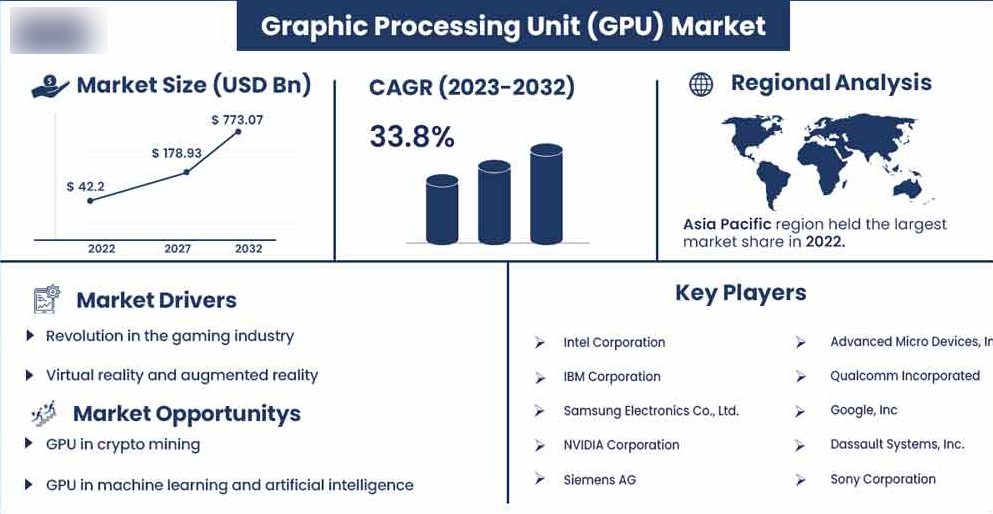
This image highlights the rapid expansion of the global GPU market, showing strong growth in market size and a high CAGR through 2032. The surge is driven by gaming, AI, machine learning, and data center workloads, with Asia-Pacific holding the largest market share.
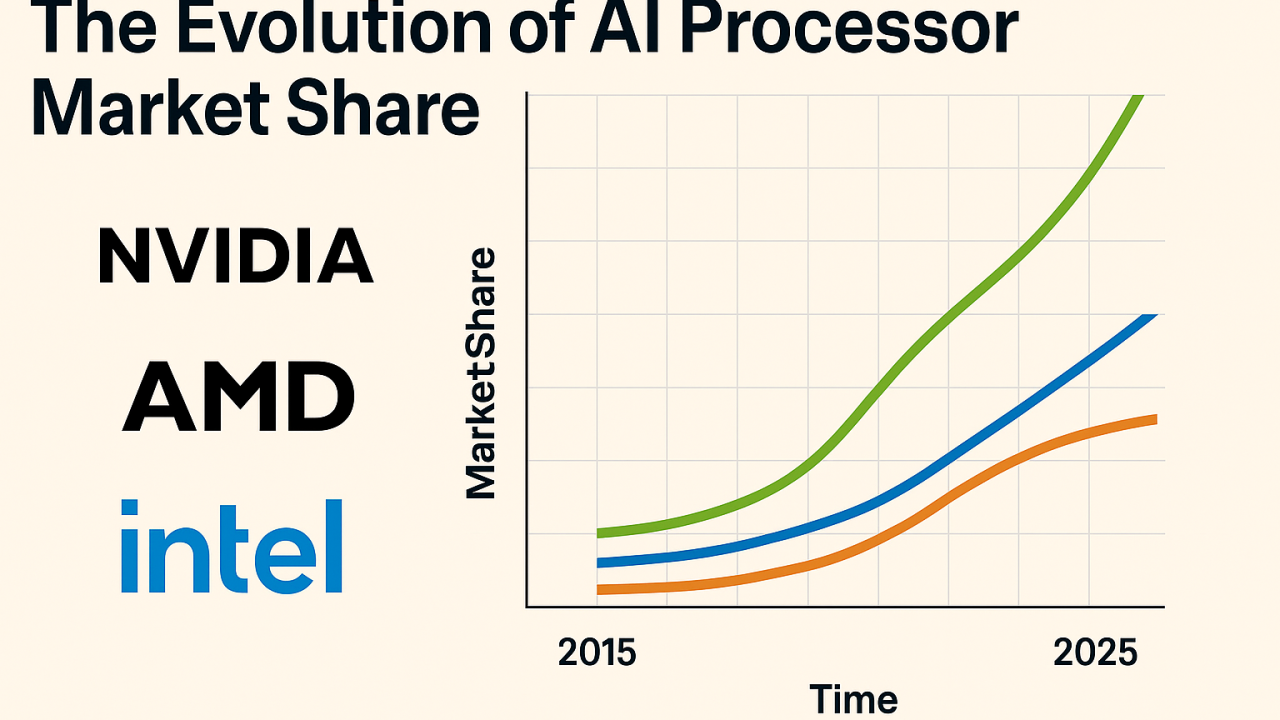
Evolution of AI Processor Market Share (NVIDIA, AMD, Intel)
This chart illustrates how the AI processor market share has evolved over time among major players. NVIDIA shows a dominant and accelerating lead, while AMD and Intel continue to grow steadily, reflecting increasing competition in AI and high-performance computing.
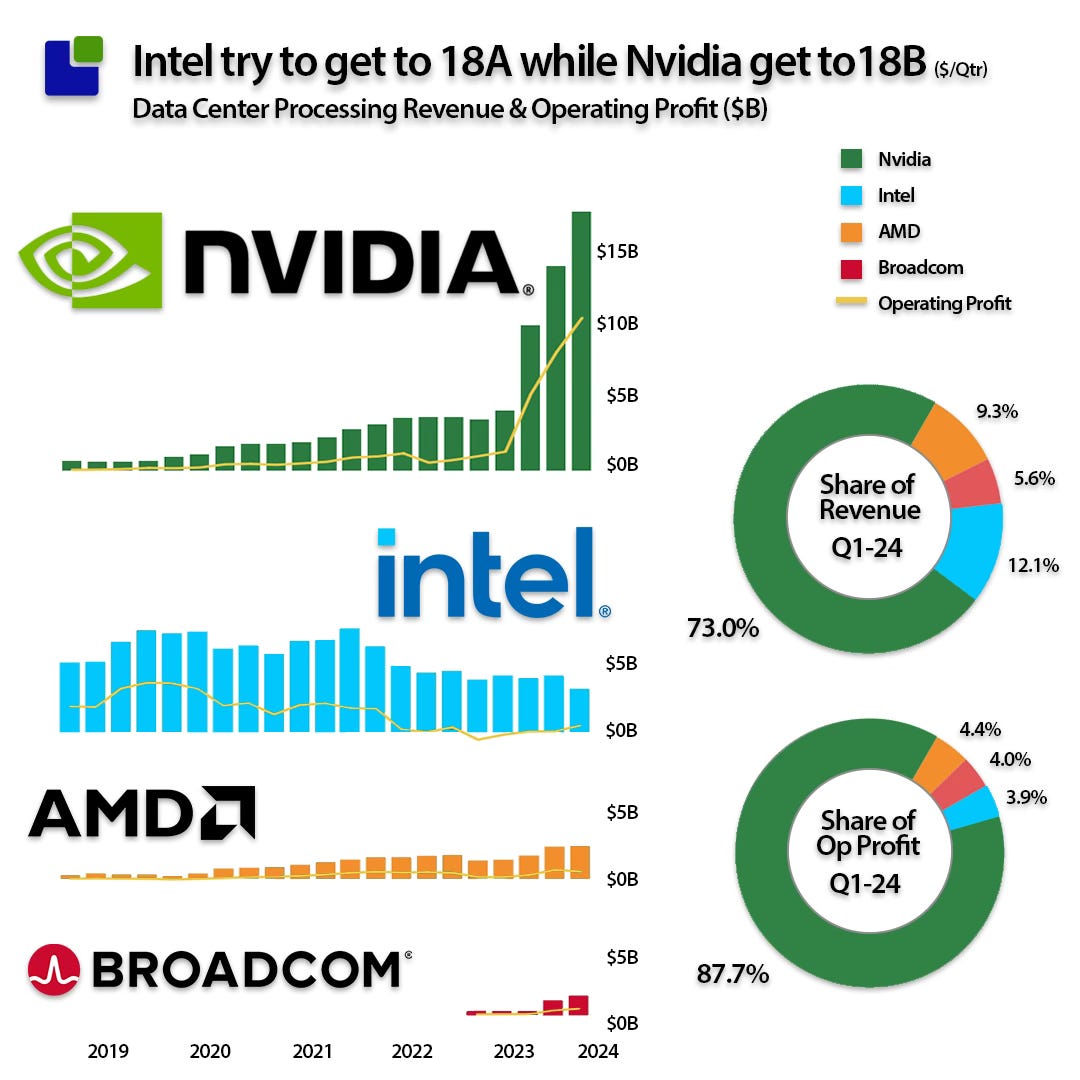
Data Center GPU Revenue and Profit Comparison
This visual compares data center revenue and operating profits across NVIDIA, Intel, AMD, and Broadcom. NVIDIA clearly leads in both revenue share and operating profit, underlining its strong position in AI-focused GPUs and enterprise data center acceleration.
Conclusion:
In summary, GPUs have evolved from graphics-focused processors into powerful parallel-computing engines that now drive gaming, professional design, scientific research, and large-scale AI workloads. Different GPU classes are built for different purposes. Consumer GPUs prioritize visual performance and media processing, workstation GPUs emphasize precision, stability, and large project handling, while data-center and AI accelerators deliver extreme compute performance with high-bandwidth memory for training and deploying advanced machine-learning models. Understanding key hardware resources such as VRAM, memory bandwidth, system RAM, and storage requirements is essential when selecting the right GPU, because each workload, whether gaming, content creation, engineering, or AI, depends on the appropriate balance of compute power and memory capacity to achieve optimal performance and reliability.