

 A100 SXM4 40GB

GPUs are often introduced into an infrastructure with the expectation that performance gains will be immediate and automatic. In reality, GPU workloads demand more discipline than most CPU-based systems. One of the most common reasons GPU deployments fail or behave unpredictably is version incompatibility across drivers, CUDA, and supporting libraries.
This article breaks down the entire CUDA ecosystem in practical terms, explains how each component depends on the others, and highlights real-world failure scenarios that teams regularly encounter.
Why Compatibility Is So Important in GPU Workloads
GPU software does not behave like traditional application software. A simple library mismatch can prevent an entire workload from running. This happens because GPU applications sit very close to the hardware, and each software layer makes assumptions about what the layer below can do.
For example, a deep learning training job might:
- Compile successfully
- Load all Python dependencies
- Detect the GPU
- Fail immediately when launching the first kernel
This is usually not an application bug. It is almost always a compatibility issue.
In production environments, these failures are expensive. Jobs fail late, GPU resources sit idle, and debugging takes hours instead of minutes.
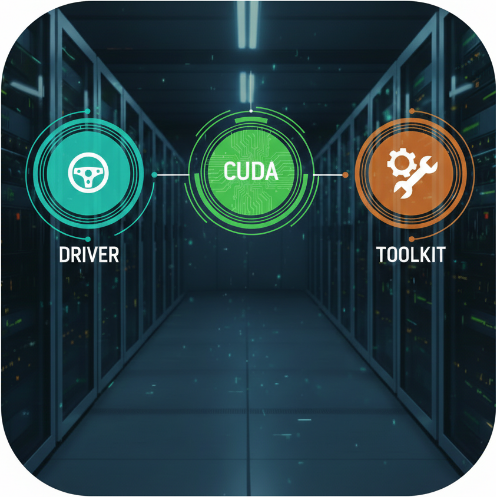
Understanding the CUDA Stack: Driver, Runtime, and Toolkit
Managing CUDA compatibility starts with understanding how the CUDA software stack is structured. Each layer has a distinct role, and problems usually occur when these roles are misunderstood or ignored.
NVIDIA GPU Driver – The Foundation
The NVIDIA GPU driver is the core component of the CUDA stack. It is the only layer that communicates directly with the GPU hardware. Everything else depends on it.
The driver acts like an operating system for the GPU:
- It exposes the hardware’s capabilities
- It manages GPU memory access
- It schedules and executes work on the device
If the driver does not support a specific CUDA version, no application, framework, or toolkit can compensate for that limitation.
CUDA Runtime – The Execution Layer
The CUDA runtime sits above the driver and is what most developers and applications interact with, often indirectly.
It is responsible for:
- Allocating and managing GPU memory
- Launching GPU kernels
- Handling streams, events, and synchronization
Deep learning frameworks such as PyTorch and TensorFlow rely heavily on the CUDA runtime to execute GPU workloads. For this reason, the runtime must always be compatible with the installed driver.
CUDA Toolkit – The Developer Environment
The CUDA Toolkit provides everything needed to build and debug GPU applications. It includes:
- The CUDA runtime
- The nvcc compiler
- Header files
- Math libraries and developer tools
The toolkit version determines which CUDA features can be compiled into an application. However, it does not define what can actually run on the system.
The driver always remains the final authority.
Understanding this relationship prevents most CUDA compatibility issues before they reach production.
CUDA Driver API vs CUDA Runtime API
CUDA exposes two different programming interfaces. Both can execute GPU workloads, but they serve different purposes and operate at different levels of control.
CUDA Driver API
The CUDA Driver API works at a lower level and gives developers fine-grained control over GPU behavior.
- Manual context management
Applications must explicitly create, manage, and destroy CUDA contexts. - Explicit control over memory and execution
Memory allocation, kernel launches, and synchronization are handled directly by the developer. - Greater flexibility with higher complexity
The API allows advanced usage patterns but requires more code and careful error handling. - Commonly used in system-level software
Typical use cases include GPU virtualization layers, language bindings, profilers, and performance-critical infrastructure components. - Better suited for advanced or specialized workloads
Chosen when maximum control is required and abstraction overhead must be minimized.
CUDA Runtime API
The CUDA Runtime API provides a higher-level abstraction designed for ease of use and productivity.
- Automatic context creation and management
The runtime handles contexts behind the scenes, reducing boilerplate code. - Simpler memory and error handling
Common tasks such as memory allocation and kernel execution require fewer API calls. - Shorter and more maintainable code
Applications are easier to write, debug, and maintain. - Used by most applications and frameworks
Deep learning frameworks, scientific applications, and general CUDA programs rely primarily on the runtime API.
Why This Distinction Matters
- Both APIs rely on the same NVIDIA driver
Regardless of which API is used, compatibility is still determined by the installed driver. - Switching APIs does not bypass version constraints
Using the Driver API instead of the Runtime API will not allow applications to run on unsupported CUDA or driver versions.
Understanding this distinction helps set correct expectations: the choice of API affects development complexity, not CUDA compatibility rules.
Forward and Backward Compatibility in Practice
CUDA compatibility rules are straightforward, but they are often misunderstood in real-world deployments. Knowing how forward and backward compatibility works helps prevent most upgrade-related failures.
Forward Compatibility (Safe)
- Newer drivers support older CUDA applications
A driver that supports a newer CUDA version can safely run applications built with older CUDA toolkits. - Common and recommended upgrade path
Upgrading the NVIDIA driver first is generally safe because it preserves the ability to run existing workloads. - Example
A driver that supports CUDA 12 can run applications built with CUDA 11.4, CUDA 11.8, or CUDA 12.0 without issues. - Why this works
NVIDIA maintains backward support within the driver to ensure older CUDA binaries continue to function.
Backward Compatibility (Unsafe)
- Older drivers do not support newer CUDA applications
A driver can only run CUDA applications up to the maximum version it supports. - Toolkit upgrades can break workloads
Installing or deploying applications built with a newer CUDA version than the driver supports leads to runtime failures. - Example
A CUDA 12.1 application will not run on a system where the driver only supports CUDA 11.x. - Most common production failure pattern
This scenario frequently occurs when toolkits or containers are upgraded without first upgrading the host driver.
Key Takeaway
Upgrading drivers before CUDA toolkits is almost always safe. Doing the opposite is one of the fastest ways to break GPU workloads in production.
How Driver Versions Define Supported CUDA Versions
NVIDIA drivers set a hard limit on which CUDA versions can be used on a system. No application or toolkit can bypass this restriction.
- Each driver supports a fixed maximum CUDA version
Every NVIDIA driver release explicitly defines the highest CUDA version it can run. This limit cannot be extended by installing newer software. - Driver compatibility can be checked with nvidia-smi
Running nvidia-smi displays the installed driver version and the maximum CUDA version it supports. - Applications must stay within the supported CUDA range
If the driver supports CUDA up to 11.7, applications built for CUDA 11.7 or earlier will run correctly. - Newer CUDA applications will fail at runtime
Applications built for CUDA 12 will not run on a driver that only supports CUDA 11.x, even if the toolkit is installed. - Installing a newer CUDA toolkit does not upgrade driver support
The toolkit provides libraries and tools, but only the driver determines which CUDA versions are usable.
Understanding this relationship is essential when planning upgrades or deploying CUDA-based workloads.
Common Compatibility Matrix Problems
CUDA compatibility issues tend to repeat the same patterns across different environments. These problems often appear harmless at first but surface later under real workload conditions.
- Upgrading CUDA inside containers without upgrading host drivers
Containers may include newer CUDA libraries, but if the host driver does not support that CUDA version, applications fail at runtime. - Mixing GPU nodes with different driver versions
Inconsistent driver versions across nodes can cause unpredictable behavior, especially in distributed or multi-GPU workloads. - Using framework binaries built for a different CUDA version
Precompiled framework builds expect specific CUDA versions and may not function correctly outside their supported range. - Restoring old VM images on newer hosts
VM images with outdated drivers or CUDA libraries may be incompatible with newer host hardware or hypervisor versions. - Assuming compatibility without verification
Skipping compatibility checks often leads to failures that only appear under load or during scaling.
Each of these scenarios highlights the importance of validating driver, CUDA, and framework compatibility before deployment.
Performance and Stability Impact of Mismatches
Version mismatches do not always cause immediate crashes. In many cases, systems continue running but with degraded performance and reduced stability, making problems harder to detect.
- Lower GPU utilization than expected
Mismatched drivers or CUDA libraries can prevent workloads from fully utilizing available GPU resources. - Increased kernel launch latency
Incompatible runtime or driver combinations may introduce additional overhead when launching GPU kernels. - Tensor Core features may be disabled
When CUDA or library versions do not fully support the GPU architecture, hardware acceleration features such as Tensor Cores may not be used. - Higher CPU overhead during GPU workloads
More work may be pushed back to the CPU, reducing overall system efficiency and increasing latency. - Inconsistent performance under load
Jobs may slow down unpredictably or behave differently between runs, even with the same inputs.
These issues are difficult to diagnose because applications appear functional, yet performance does not match expectations.
Typical Errors Caused by Incompatibility
When CUDA compatibility breaks, failures often appear suddenly and with confusing error messages. While the symptoms vary, they usually point back to version mismatches somewhere in the GPU software stack.
- CUDA driver version is insufficient for CUDA runtime version
This error occurs when the installed NVIDIA driver does not support the CUDA runtime required by the application or framework. - Missing libraries such as libcudart.so
Indicates that the expected CUDA runtime libraries are not present or that the application is linking against the wrong CUDA installation. - Illegal memory access during kernel execution
Often caused by mismatched driver, CUDA, or library versions leading to undefined behavior at runtime. - Framework detects GPU but refuses to use it
Frameworks like PyTorch or TensorFlow may see the GPU but disable it due to incompatible CUDA or library versions. - Random crashes or silent failures under load
Inconsistent versions can cause workloads to fail only during heavy execution, making issues hard to reproduce.
Each of these errors is a symptom, not the root cause. Mapping driver, CUDA, library, and framework versions side by side usually reveals the underlying incompatibility.
CUDA-Dependent Libraries: cuDNN, NCCL, and Others
CUDA by itself is rarely sufficient for real-world GPU workloads. Most production and training systems rely on additional CUDA-dependent libraries that introduce their own compatibility requirements.
- CUDA is only the foundation
Core CUDA provides low-level GPU access, but higher-level operations depend on specialized libraries for performance and correctness.
cuDNN
- Optimized for deep learning workloads
cuDNN provides highly optimized implementations for neural network operations such as convolution, pooling, normalization, and activation functions. - Strict CUDA version compatibility
Each cuDNN release supports only a specific range of CUDA versions. Using an unsupported combination can lead to runtime errors or disabled optimizations. - Performance depends on correct pairing
Even when applications run, mismatched cuDNN and CUDA versions can significantly reduce performance.
NCCL
- Handles GPU-to-GPU and node-to-node communication
NCCL is critical for multi-GPU and distributed training workloads, managing collective operations such as all-reduce and broadcast. - Highly sensitive to version mismatches
Different NCCL versions across nodes can cause communication hangs, degraded performance, or silent failures. - Issues are often hard to debug
NCCL problems may appear as random stalls or inconsistent training times rather than clear error messages.
Other CUDA-Dependent Libraries
- Libraries like cuBLAS, cuFFT, and TensorRT also matter
These libraries introduce additional version constraints and performance dependencies that must align with CUDA and driver versions. - All libraries must be aligned across nodes
Consistency across the entire stack is essential, especially in multi-GPU and multi-node environments.
CUDA-dependent libraries amplify both performance gains and compatibility risks. Managing their versions with the same discipline as CUDA and drivers is essential for stable GPU workloads.
Framework Requirements: PyTorch and TensorFlow
Deep learning frameworks sit at the top of the CUDA stack and are tightly coupled to specific CUDA versions. Ignoring these requirements is a common cause of runtime failures.
- Frameworks are built against specific CUDA versions
Precompiled binaries of PyTorch and TensorFlow expect an exact range of CUDA versions and may not function correctly outside that range. - PyTorch binaries are CUDA-version specific
A PyTorch build compiled for CUDA 11.8 will not run reliably on systems limited to CUDA 11.2, even if the GPU is detected. - TensorFlow supports a narrower CUDA range
TensorFlow typically lags behind PyTorch in CUDA adoption and supports fewer CUDA versions at any given time. - Mismatch leads to runtime errors or CPU fallback
Incompatible CUDA versions can cause immediate failures or silent fallback to CPU execution. - Source builds offer flexibility but increase complexity
Building frameworks from source can bypass version limits, but requires strict control over CUDA, compiler, and library dependencies.
Framework compatibility should always be verified before upgrading CUDA or deploying new GPU workloads.
Containerization and CUDA Compatibility
Containers simplify application packaging, but they do not remove GPU compatibility requirements. Understanding what containers isolate—and what they do not—is essential for running CUDA workloads reliably.
- Containers isolate user-space, not GPU drivers
CUDA containers include libraries and runtimes, but they always rely on the NVIDIA driver installed on the host system. - NVIDIA Container Toolkit bridges container and host
It mounts host driver libraries, GPU device nodes, and required kernel interfaces into the container at runtime. - Host driver defines the CUDA limit
The maximum CUDA version usable inside a container is determined by the host driver, not by the container image. - Container CUDA must be supported by the host driver
If a container uses a newer CUDA version than the host driver supports, the application will fail at runtime. - Host differences cause inconsistent behavior
A container may work on one system and fail on another if the underlying driver versions differ.
Containers improve portability, but GPU workloads still require strict alignment between container CUDA versions and host drivers to function correctly.
Bare Metal vs Virtual Machines
Running GPUs on bare metal and inside virtual machines leads to very different operational characteristics. While both approaches are valid, they place different constraints on driver management, performance, and upgrade strategy.
Bare Metal
- Direct control over driver installation
NVIDIA drivers and CUDA versions can be installed, upgraded, or rolled back without dependency on a hypervisor or host-level restrictions. - Highest and most predictable performance
GPUs have direct access to hardware resources, delivering consistent performance with minimal overhead. - Simpler debugging and troubleshooting
Issues are easier to trace because fewer layers exist between the application, CUDA runtime, and the hardware.
Virtual Machines
- Driver versions may be limited by the hypervisor
Supported NVIDIA driver versions are often constrained by the virtualization platform, which can delay access to newer CUDA releases. - GPU passthrough or vGPU introduces additional constraints
Passthrough limits flexibility, while vGPU requires strict driver and licensing alignment across host and guest systems. - Rolling upgrades are more complex
Upgrades must account for host drivers, guest drivers, CUDA toolkits, and hypervisor compatibility, increasing coordination effort. - Slower access to new driver versions
VM environments typically lag behind bare-metal systems in adopting the latest NVIDIA drivers and CUDA support.
Both approaches are widely used, but GPU workloads in virtualized environments require more planning and validation to maintain stability and performance.
OS and Kernel Dependencies
NVIDIA GPU drivers are tightly coupled to the operating system because they run as kernel modules. As a result, OS and kernel choices directly affect CUDA stability and upgrade flexibility.
- Kernel upgrades can break NVIDIA drivers
Even minor kernel updates can render existing GPU drivers incompatible, causing CUDA workloads to fail until drivers are rebuilt or reinstalled. - Older operating systems limit driver options
Legacy OS versions often cannot support newer NVIDIA drivers, which in turn restricts the CUDA versions that can be used. - Enterprise distributions lag behind CUDA releases
Long-term enterprise OS distributions prioritize stability, meaning support for the latest CUDA versions may arrive much later. - Driver builds are OS-specific
NVIDIA drivers are compiled for specific kernel and OS combinations, making cross-distribution portability difficult. - Ignoring OS compatibility leads to upgrade failures
Upgrading CUDA or drivers without considering OS and kernel constraints frequently results in broken GPU environments.
Careful alignment between the operating system, kernel version, NVIDIA driver, and CUDA toolkit is essential for maintaining a stable GPU setup.
GPU Architecture and CUDA Support
CUDA support is tightly linked to GPU architecture. Assuming that all GPUs work with all CUDA versions often leads to upgrade failures and unexpected downtime.
- CUDA support depends on GPU compute capability
Each GPU generation exposes a specific compute capability that determines which CUDA features and versions it can support. - Older GPUs lose support in newer CUDA releases
As CUDA evolves, support for legacy GPU architectures is eventually dropped, making newer CUDA versions unusable on older hardware. - Newer GPUs require newer drivers and toolkits
Recently released GPUs often need updated drivers and newer CUDA versions to function correctly and deliver full performance. - Mixed GPU architectures complicate upgrades
Clusters with different GPU models may not support the same CUDA version across all nodes, limiting upgrade options. - Ignoring hardware limits causes upgrade failures
Installing a CUDA version that is unsupported by the GPU architecture can result in runtime errors, disabled features, or complete workload failure.
Understanding GPU architecture limits is essential before upgrading drivers or CUDA toolkits, especially in multi-GPU or multi-node environments.
Upgrade and Rolling Update Challenges
Upgrading GPU software in multi-node environments requires careful coordination. Changes that appear safe on a single system can cause serious issues when applied inconsistently across a cluster.
- Mixed driver versions lead to unpredictable behavior
Different NVIDIA driver versions across nodes can cause inconsistent GPU behavior, communication failures, or job crashes. - NCCL performance degrades in mismatched environments
Distributed workloads rely on consistent NCCL versions. Even minor differences can reduce performance or cause collective operations to hang. - Rolling upgrades must follow compatibility windows
Temporary coexistence of old and new versions is only safe within documented compatibility limits. Ignoring these windows can break running workloads. - Cluster-wide coordination is required
Driver, CUDA, and library upgrades must be planned so that nodes transition in a controlled and compatible order. - Blind upgrades are risky in production
Upgrading without validation or visibility into cluster-wide versions often results in downtime and extended troubleshooting.
Successful GPU upgrades at scale depend on careful sequencing, uniformity, and thorough validation—not speed.
Best Practices for Version Pinning
Stable GPU environments depend on disciplined version management. Treating drivers and CUDA components as interchangeable often leads to instability.
- Pin NVIDIA driver, CUDA, and library versions
Fix specific versions of drivers, CUDA toolkits, cuDNN, and NCCL to ensure consistent behavior across systems and deployments. - Avoid automatic OS and kernel upgrades
Unplanned kernel or OS updates can break NVIDIA drivers and disrupt GPU workloads without warning. - Validate all upgrades in staging environments
Test version changes under realistic workloads before applying them to production systems. - Use explicit version tags for containers
Avoid floating tags like latest; always specify exact CUDA and framework versions in container images. - Maintain consistency across all GPU nodes
Uniform versions simplify troubleshooting and reduce the risk of runtime failures.
Consistency and predictability are far more valuable in GPU environments than running the newest available versions.
Using Compatibility Matrices and Release Notes
Compatibility matrices and release notes are essential tools when working with CUDA-based systems. Skipping them is one of the most common reasons GPU upgrades fail.
- Verify NVIDIA driver and CUDA compatibility
Always confirm that the installed driver supports the intended CUDA version, as the driver defines the maximum CUDA capability of the system. - Check CUDA compatibility with cuDNN and NCCL
CUDA-dependent libraries such as cuDNN and NCCL support only specific CUDA versions. Mismatches can lead to runtime failures or silent performance issues. - Confirm framework and CUDA alignment
Frameworks like PyTorch and TensorFlow are built against specific CUDA versions and may not function correctly outside their supported range. - Review release notes for deprecations
Release notes often highlight removed APIs, deprecated features, or behavior changes that can break existing applications. - Look for performance and stability changes
Performance improvements, regressions, and known issues are frequently documented in release notes and should be reviewed before upgrading.
Compatibility matrices explain what works together, while release notes explain what changed. Both are necessary for safe and predictable CUDA deployments.
LTS vs Latest CUDA Releases
Not all CUDA releases serve the same purpose. Choosing between Long-Term Support (LTS) releases and the latest CUDA versions should be based on workload criticality and operational risk.
LTS CUDA Releases
- Designed for long-term stability
LTS releases receive extended support and fixes, making them reliable for continuous, long-running workloads. - Broad framework and library compatibility
Most deep learning frameworks, drivers, and CUDA-dependent libraries prioritize LTS versions for official support. - Lower risk of breaking changes
Features and APIs remain consistent, reducing unexpected behavior after updates. - Well-suited for production environments
Ideal for systems where uptime, repeatability, and predictable performance are critical.
Latest CUDA Releases
- Access to new features and optimizations
Latest releases often introduce performance improvements, hardware support, and new CUDA capabilities. - Early support for new GPU architectures
New GPUs may require the latest CUDA versions to unlock full functionality. - Limited ecosystem support initially
Frameworks and libraries may take time to fully adopt and validate new releases. - Better suited for research and experimentation
Ideal for development, benchmarking, and exploring future upgrade paths.
Key Consideration
Choosing between LTS and the latest CUDA releases should be driven by workload importance, tolerance for risk, and operational maturity—not just the availability of newer versions
Multi-GPU and Multi-Node Environments
As GPU workloads scale across multiple GPUs or multiple machines, compatibility issues become more impactful and harder to diagnose. Small version differences that may go unnoticed on a single system can cause serious failures at scale.
- NCCL version mismatches can cause hangs or deadlocks
Distributed training jobs rely on NCCL for GPU-to-GPU communication. If NCCL versions differ across nodes, collective operations may hang indefinitely or fail without clear error messages. - Mixed GPU architectures complicate scheduling and performance
Running different GPU models with varying compute capabilities in the same cluster can lead to uneven performance, unsupported CUDA features, or inefficient workload placement. - Driver version drift breaks collective communication
Even small differences in NVIDIA driver versions across nodes can disrupt multi-GPU synchronization and communication libraries. - CUDA and library inconsistencies increase failure rates
Differences in CUDA, cuDNN, or framework versions across nodes often result in unpredictable runtime behavior. - Uniformity across nodes is essential for stability
Keeping driver versions, CUDA toolkits, libraries, and GPU models consistent across all nodes greatly reduces failures and simplifies debugging.
Performance Optimizations and CUDA Versions
Not every CUDA upgrade is about new features. Many releases focus on improving how efficiently workloads run on existing hardware. These optimizations can significantly affect real-world performance when the entire stack is aligned.
- Better kernel fusion and execution scheduling
Newer CUDA versions often improve how multiple GPU operations are combined and scheduled, reducing kernel launch overhead and improving overall throughput. - Improved memory allocation and management
Updates to CUDA memory allocators can reduce fragmentation, lower allocation latency, and improve memory reuse, especially for large or long-running workloads. - Hardware-specific optimizations
CUDA releases frequently introduce optimizations tailored to newer GPU architectures, enabling better use of Tensor Cores, cache hierarchies, and instruction pipelines. - Enhanced compiler and runtime optimizations
Improvements in nvcc and the CUDA runtime can produce more efficient GPU code without requiring changes to application logic. - Performance gains depend on full-stack compatibility
These optimizations only take effect when the driver, CUDA toolkit, libraries, and GPU architecture all support the targeted features.
Upgrading CUDA can deliver measurable performance improvements, but only when it is planned, tested, and aligned with the underlying driver and hardware capabilities.
Security Patches and Bug Fixes
NVIDIA driver updates are often associated with performance improvements, but they also play a critical role in maintaining system security and stability. Ignoring driver updates for too long can expose GPU systems to avoidable risks.
- Security vulnerabilities are regularly patched
Driver updates fix security issues that could allow unauthorized access, data leaks, or system compromise, especially in shared or multi-tenant environments. - Kernel stability issues are addressed
Many updates resolve kernel-level bugs that can cause system freezes, crashes, or unexpected reboots under GPU load. - Memory handling and isolation bugs are fixed
Updates improve GPU memory management, reducing the risk of memory leaks, corruption, or improper isolation between workloads. - Improvements in error handling and recovery
Newer drivers often include better detection and recovery mechanisms for GPU faults, preventing entire systems from becoming unresponsive. - Security updates should be planned, not avoided
While untested upgrades are risky, indefinitely postponing driver updates increases exposure. Security-related updates should be tested in staging and rolled out in a controlled manner.
When and How to Upgrade Safely
Upgrading NVIDIA drivers, CUDA, or related libraries without a clear plan is one of the most common causes of GPU downtime. A structured upgrade process reduces risk and prevents unexpected failures.
- Review compatibility matrices before upgrading
Always confirm that the target driver, CUDA version, libraries, and frameworks are officially compatible with each other and with the GPU hardware. - Test changes in a staging environment first
Replicate the production setup as closely as possible and run real workloads to catch issues before they impact users. - Upgrade NVIDIA drivers before CUDA toolkits
Drivers define the maximum supported CUDA version, so they should always be upgraded first to avoid runtime incompatibilities. - Validate framework and application behavior
Confirm that frameworks like PyTorch or TensorFlow detect and use the GPU correctly and that performance remains stable. - Roll out upgrades gradually in production
Apply changes to a small subset of systems first and monitor stability before completing the rollout. - Document and monitor after the upgrade
Record version changes and watch for errors, performance regressions, or unusual behavior after deployment.
Skipping any of these steps increases the risk of outages, failed jobs, and prolonged troubleshooting.
Troubleshooting CUDA Version Conflicts
When CUDA applications fail unexpectedly, version conflicts are often the root cause. A systematic approach makes these issues much easier to identify and resolve.
- Use nvidia-smi to validate the driver
Confirm the installed driver version and the maximum CUDA version it supports. This immediately reveals whether the system can run the intended CUDA workloads. - Check the CUDA runtime version in use
Verify which CUDA runtime the application or framework is actually loading, especially in environments with multiple CUDA installations. - Verify CUDA and library paths
Ensure that environment variables such as PATH and LD_LIBRARY_PATH point to the correct CUDA, cuDNN, and NCCL libraries and not to older or conflicting versions. - Confirm framework build targets
Check that frameworks like PyTorch or TensorFlow are built for the same CUDA version that is available on the system. - Look for version mismatches across nodes
In multi-GPU or multi-node setups, confirm that all systems use the same driver and CUDA versions.
Most CUDA issues become clear once driver, runtime, library, and framework versions are listed side by side and compared.
Production vs Development Recommendations
GPU environments should be managed differently depending on whether they are used for development or production. Applying the same rules to both often leads to instability, wasted time, or unnecessary risk.
Development Environments
- Flexible version choices
Newer CUDA, driver, and library versions can be used without long-term commitment. - Frequent upgrades allowed
Drivers and toolkits can be updated often to test features and compatibility. - Experimental CUDA versions acceptable
Non-LTS or recently released CUDA versions are suitable for testing and evaluation. - Tolerance for failures
Occasional crashes or incompatibilities are acceptable and expected. - Used for early compatibility checks
Helps identify issues before changes reach production.
Production Environments
- Prefer LTS and stable releases
Well-tested CUDA and driver versions reduce risk. - Strict version pinning
Drivers, CUDA, and libraries should remain fixed and documented. - Avoid unnecessary upgrades
Updates should be driven by clear need, not version availability. - Consistency across systems
All GPU nodes should run the same versions to prevent runtime issues. - Stability over new features
Reliability and predictable performance take priority.
Final Thoughts
GPU performance does not come from hardware alone. It comes from a carefully aligned software stack where drivers, CUDA versions, libraries, frameworks, and operating systems work in harmony.
Ignoring version compatibility is one of the fastest ways to turn powerful GPUs into unreliable infrastructure. Treat compatibility as a first-class operational concern, and your GPU workloads will remain stable, performant, and predictable exactly what production systems demand.