

 A100 SXM4 40GB

GPUs used to be simple. One machine. One graphics card. One workload.
That mental model is officially broken.
Today, a single GPU can be sliced, shared, and rented across multiple virtual machines. Sometimes efficiently. Sometimes painfully. And often without beginners realizing what tradeoffs they are walking into.
If you have ever wondered why your AI workload feels slower in the cloud, or why GPU pricing looks confusing, or why “shared GPU” sounds great until it is not, you are in the right place.
This guide is not theory-heavy. It is practical. Opinionated where it needs to be. And written for people who want clarity, not marketing fog.
Why GPU Virtualization Exists in the First Place
In traditional setups, a GPU often sits idle. Maybe it spikes for training jobs, then sleeps. Cloud providers hated this inefficiency. Enterprises hated the capital cost. So the industry did what it always does.
It virtualized.
GPU virtualization lets multiple users or workloads share a single physical GPU. Each thinks it has its own. In reality, they are time-slicing, memory-partitioning, or driver-isolating access behind the scenes.
The promise sounds simple. Better utilization. Lower cost. More flexibility.
The reality is more nuanced.
What Is GPU Virtualization Really?
At its core, GPU virtualization is the abstraction of physical GPU resources so they can be shared across virtual machines or containers.
The hypervisor or GPU driver layer intercepts GPU calls and decides who gets what, when, and how much. Memory, compute cores, and scheduling time. All controlled.
From the application’s point of view, it looks like a real GPU. From the infrastructure’s point of view, it is carefully managed complexity.
Think of it like a high-performance kitchen shared by multiple chefs. Same oven. Same burners. Strict scheduling. One chef going wild can slow everyone else down.
The Main Types of GPU Virtualization You Will Encounter
Not all GPU virtualization is created equal. This is where many beginners get confused.
Different Types of GPU Virtualization
Not all GPU virtualization works the same way, and this is where beginners often get tripped up. Cloud providers use the same umbrella term for very different technical approaches. Performance, isolation, and cost vary a lot depending on which model is underneath.
- GPU Pass-through
- Mediated Pass-through
- GPU Emulation
- API-Level Remoting
Here are the main types you will encounter, explained below:
GPU Pass-through
In this setup, an entire physical GPU is assigned to a single virtual machine. No sharing. No slicing. No compromises.
From the operating system’s perspective, it looks like bare metal. Performance is near native, which is why this approach is still popular for workloads that cannot tolerate unpredictability.
The downside is obvious. One VM gets one GPU, even if it only uses half of it. Utilization is poor, but performance is excellent.
Best suited for high-end gaming, machine learning training, scientific simulations, and anything where consistency matters more than cost.
Mediated Pass-through
This is a middle ground. Multiple virtual machines share a single GPU through a mediated driver layer, without requiring extra hardware changes.
Each VM gets access to a defined portion of GPU resources. Not fully isolated at the silicon level, but far better than simple time slicing.
This model balances utilization and performance reasonably well, which is why it is common in enterprise environments.
Typical use cases include virtual desktop infrastructure, AI and ML workloads that are not latency sensitive, and 3D rendering pipelines.
GPU Emulation
Here, the GPU is split into virtual instances that multiple VMs can use concurrently. This is usually handled through vendor-specific tooling and drivers.
Performance is generally strong for inference-style workloads where predictable slices matter more than raw throughput.
This model shines in AI inference scenarios where many small jobs need GPU access at the same time, rather than one massive job monopolizing the device.
API-Level Remoting
This approach works higher up the stack. Instead of virtualizing the GPU directly, the host system intercepts GPU API calls like CUDA or OpenGL and executes them remotely.
It is simpler to deploy but introduces overhead. Performance is decent, not exceptional.
You will see this used in remote desktops, cloud gaming, and visualization platforms where responsiveness matters more than absolute throughput.
A Quick Reality Check
If you care about training speed or deterministic performance, shared models will eventually frustrate you.
If you care about cost efficiency and burst workloads, full pass-through is usually overkill.
Understanding which model sits behind your cloud instance matters more than the instance name itself.
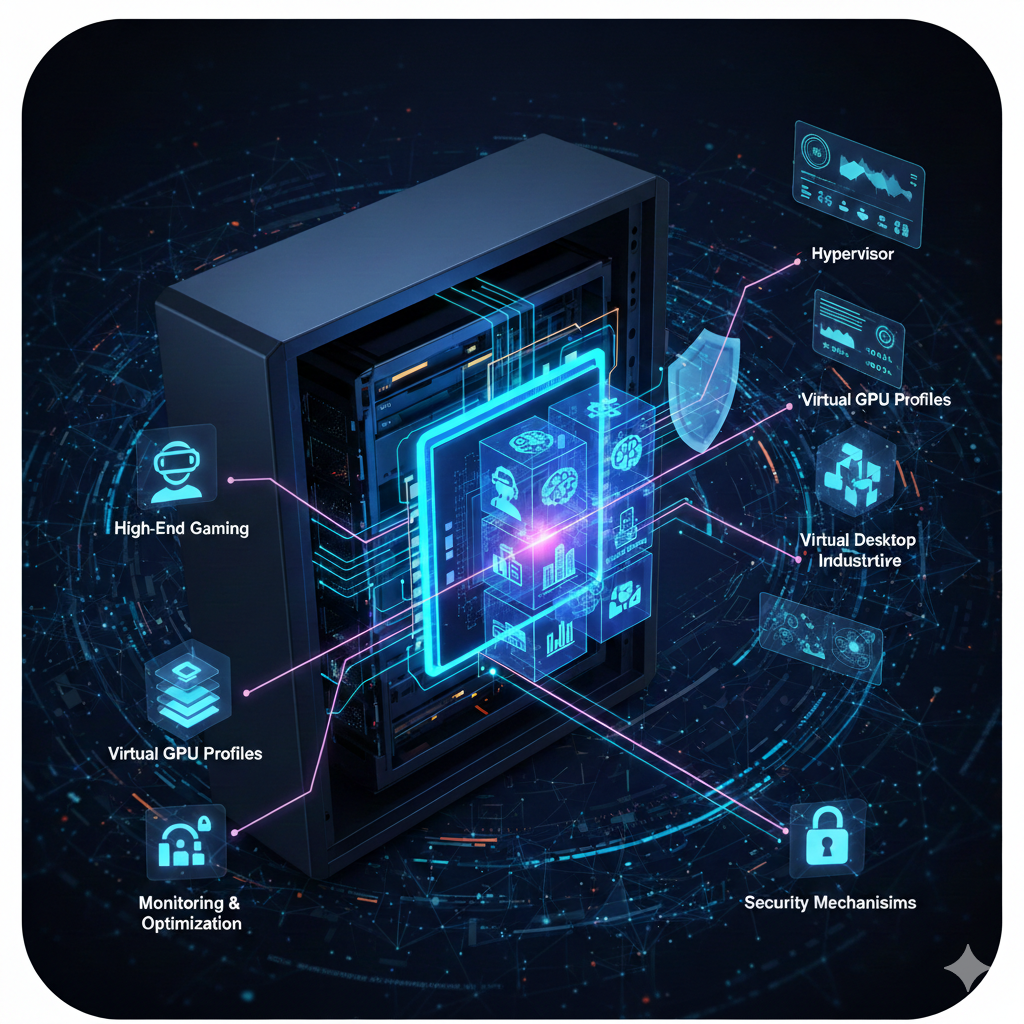
Key Components of GPU Virtualization
GPU virtualization looks simple from the outside. Click a button, get a GPU-backed VM. Under the hood, several moving parts have to cooperate cleanly or everything falls apart.
- Physical GPUs
- Host Servers
- Hypervisors
- Virtual GPU Profiles
- Cloud Management Layer
- Monitoring and Optimization Tools
- Security Mechanisms
This is the foundation that makes shared GPUs usable at scale.
Physical GPUs
These are the actual graphics cards installed in the servers. Their architecture determines what kinds of virtualization are even possible.
Not every GPU supports mediated or hardware-level partitioning. This is a hardware constraint, not a software one.
Host Servers
These are the physical machines that house the GPUs. They provide CPU, memory, storage, and I/O alongside GPU resources.
Weak host configuration can bottleneck even the best GPU. This is a common and overlooked problem.
Hypervisors
Hypervisors create and manage virtual machines on the host server. They control how GPU access is shared, scheduled, and isolated.
Examples include KVM, VMware ESXi, and similar platforms. If the hypervisor does not fully support the GPU model and driver stack, performance suffers.
Virtual GPU Profiles
These profiles define how much GPU memory, compute, and bandwidth each VM receives.
This is where resource fairness is enforced. Poorly designed profiles lead to contention, unpredictable latency, and angry users.
Cloud Management Layer
This sits above everything else. It handles provisioning, scaling, monitoring, and lifecycle management.
In public clouds, this layer is hidden from you. In private environments, this is where automation either saves you or drains your time.
Monitoring and Optimization Tools
GPU workloads without visibility are a liability.
Monitoring tools track memory usage, utilization, throttling, and scheduling behavior. Without this data, performance tuning becomes guesswork.
Teams that skip this step usually blame the GPU. The problem is almost always configuration.
Security Mechanisms
Shared GPUs raise legitimate security concerns.
Role-based access control limits who can allocate GPU resources. Isolation protocols prevent data leakage between tenants. Encryption protects data in transit and at rest.
These controls are not optional in multi-tenant environments. Weak isolation at the GPU layer can undermine otherwise solid infrastructure security.
Key Components That Make GPU Virtualization Work
There is no magic. Just layers.
First, you need a GPU that supports virtualization. Not all do.
Second, a hypervisor or container runtime that understands GPU sharing. Think KVM, VMware ESXi, or Kubernetes with GPU operators.
Third, vendor-specific drivers. NVIDIA dominates here, for better or worse.
Fourth, a scheduler. This decides which workload gets GPU time and how much.
Miss any of these, and you are debugging at 2 a.m.
How to Set Up GPU Virtualization in the Cloud
GPU virtualization in a cloud environment allows multiple virtual machines to share powerful GPU resources efficiently. When done right, it delivers high performance for AI, machine learning, rendering, and data-heavy workloads—without blowing up your cloud bill.
Below is a practical, end-to-end guide to setting up GPU virtualization in the cloud, from planning to optimization.
1. Choose the Right GPU Resources
Start by defining what your workload actually needs. Different applications demand different levels of GPU power.
Select GPU-enabled instances from your cloud provider based on:
- GPU memory requirements
- Number of CUDA cores
- Bandwidth and throughput needs
- Compatibility with your frameworks (TensorFlow, PyTorch, CUDA, etc.)
Avoid over-provisioning here. More GPU doesn’t always mean better performance—it just means higher cost.
2. Select the Appropriate vGPU Profile
Once the hardware is chosen, the next step is selecting the right virtual GPU (vGPU) profile.
Each vGPU profile determines:
- How much GPU memory is allocated
- Compute limits per virtual machine
- How many VMs can share a single physical GPU
Match the profile to your workload. Compute-heavy jobs need different profiles than memory-intensive ones. The goal is to strike the right balance between performance and efficiency.
3. Deploy Virtual Machines with GPU Support
Now it’s time to spin up your virtual machines.
Create VMs with GPU acceleration enabled and configure secure access using:
- SSH for Linux environments
- RDP for Windows workloads
Make sure the correct GPU drivers and virtualization software are installed and verified before moving forward.
4. Deploy GPU-Accelerated Workloads
Install and configure your applications to take full advantage of the virtualized GPU.
This includes:
- Verifying GPU visibility inside the VM
- Ensuring drivers and libraries are properly configured
- Testing workloads to confirm they’re actually using the GPU
A quick validation step here saves hours of debugging later.
5. Monitor GPU Performance and Usage
GPU virtualization without monitoring is a recipe for wasted money.
Track key metrics such as:
- GPU utilization
- Memory consumption
- Temperature and performance trends
Use this data to spot bottlenecks, fine-tune vGPU profiles, and ensure your workloads are running efficiently.
6. Scale GPU Resources as Demand Changes
Cloud GPU virtualization shines when workloads aren’t static.
You can scale in two ways:
- Horizontal scaling: Add or remove GPU-enabled virtual machines
- Vertical scaling: Adjust vGPU profiles to allocate more or fewer resources
Scale based on real usage, not assumptions. This keeps performance strong and costs predictable.
7. Implement Strong Security Controls
Because GPU resources are shared, security is non-negotiable.
Best practices include:
- Network isolation between workloads
- Role-based access control (RBAC)
- Encryption for data at rest and in transit
These measures ensure performance doesn’t come at the cost of security.
8. De-Provision Unused GPU Resources
Finally, clean up what you’re not using.
Regularly review GPU allocations and shut down:
- Idle virtual machines
- Unused vGPU profiles
- Stale test environments
This simple step alone can cut GPU cloud costs dramatically.
Real-World Use Cases That Actually Make Sense
- GPU virtualization shines when workloads are predictable and bursty.
- AI inference is a classic example. You do not need full GPU power all the time. Sharing makes sense.
- Virtual desktops for designers. Another solid use case.
- CI pipelines that need GPU briefly for testing. Good fit.
- Where it struggles is long-running, compute-heavy training jobs. If performance consistency matters, shared GPUs will eventually disappoint you.
- This is not theory. This is lived experience.
Common Bottlenecks and How People Accidentally Create Them
- Most performance issues are self-inflicted.
- Memory oversubscription is a big one. GPU memory is not elastic. Run out, and things fail fast.
- Another is poor scheduling. Throwing multiple heavy jobs onto the same shared GPU guarantees latency spikes.
- Driver mismatch is another silent killer. Slight version differences can tank performance without obvious errors.
- Optimization here is boring but effective. Pin workloads. Monitor utilization. Avoid mixing incompatible jobs.
- Internal linking note: a performance tuning checklist or GPU monitoring guide fits well here.
Security Concerns in Shared GPU Environments
Shared resources always raise eyebrows. GPUs are no different.
The main risks include data leakage through shared memory, side-channel attacks, and weak isolation at the driver level.
Modern mediated and hardware-partitioned GPUs reduce these risks significantly. Time-sliced approaches are weaker by design.
If you are handling sensitive data, do not assume GPU isolation is as strong as CPU virtualization. It often is not.
The Mistakes Beginners Keep Making
The biggest mistake is assuming all GPU instances are equal. They are not.
Another is optimizing for cost before understanding performance needs. Cheap shared GPUs can be very expensive when jobs run longer than expected.
And finally, ignoring observability. If you cannot see GPU metrics, you are flying blind.
None of these are fatal. But they are avoidable.
Where GPU Virtualization Is Headed
The trend is clear. Better isolation. Smarter scheduling. Finer-grained partitioning.
But the fundamentals will not change. Shared resources require tradeoffs. There is no free lunch.
Understanding those tradeoffs is what separates confident operators from frustrated ones.
Final Thoughts
GPU virtualization is not hype. It is infrastructure reality.
Used well, it reduces cost and increases flexibility. Used blindly, it becomes a performance tax you pay forever.
The difference is understanding. Not specs. Not marketing pages. Understanding.
Once you have that, the rest is just engineering.