

 A100 SXM4 40GB


Imagine you are trying to edit a 4K movie, teach a smart AI brain how to speak, or render a complex 3D architectural scene on a standard laptop. It would probably crash, freeze, or take weeks to finish.
This is where GPU Virtual Machines (VMs) come in.
In simple terms, a normal computer uses a CPU to do general tasks in order. A GPU (Graphics Processing Unit) is a specialized hardware beast designed to handle thousands of tiny math calculations all at once. A “GPU VM” is simply renting access to a powerful computer in the cloud that has one or more of these super-fast GPUs attached to it. There are dozens of GPU types with confusing spec sheets. How do you choose? Here is a simple guide to the key criteria you must consider before clicking “rent.”
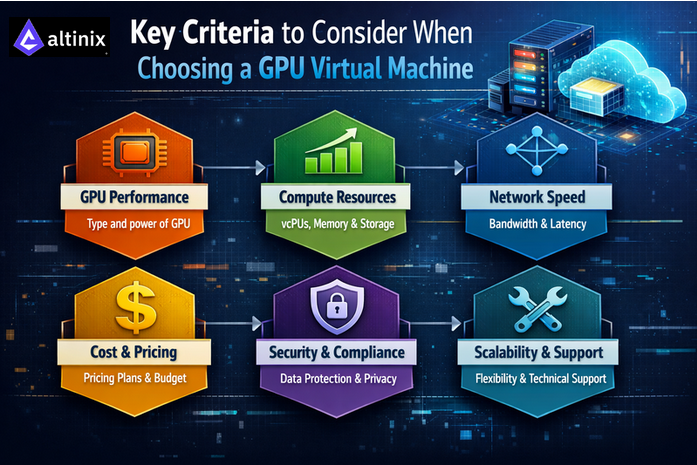
1. Define Your Mission (The Workload)
Before looking at technical specs, look at your project. The “best” GPU depends entirely on what you plan to do. Not all GPUs are built the same; some are tuned for AI speed, others for stunning graphics.
- AI/Deep Learning “Training”: If you are teaching a massive AI model from scratch, you need the heavy lifters. You need raw power and massive memory.
- AI “Inference”: If you are just using an AI model that already exists to make predictions (like a chatbot), you don’t need massive power; you need efficiency and low cost.
- Graphics and Rendering: If you are doing 3D animation or video editing, you need GPUs specifically optimized for visual performance.
2. Peeking Under the Hood: The Key Specs Explained
When you compare GPUs, you’ll notice many technical terms that can be confusing. Here’s a simple explanation of what those terms mean and why they are important when choosing the right GPU.
A. The Workers: The Cores (CUDA, Tensor, and RT)
Think of a GPU as a massive factory. The “cores” are the individual workers inside that factory. Different workers specialize in different jobs.
- CUDA Cores (The General Infantry): These are the standard workers. They handle general parallel math tasks. The more CUDA cores you have, the faster general computations will finish.
- Tensor Cores (The AI Mathematicians): These are elite, highly specialized workers designed specifically for the type of math used in Deep Learning (AI). If you are training modern AI, having many powerful Tensor Cores is far more important than regular CUDA cores.
- RT Cores (The Artists): “RT” stands for Ray Tracing. These workers specialize in calculating how light and shadows behave in 3D environments. They are crucial for photorealistic rendering and game development but useless for most AI tasks.
B. The Workspace: Memory Capacity and Bandwidth
This is perhaps the most critical bottleneck for beginners.
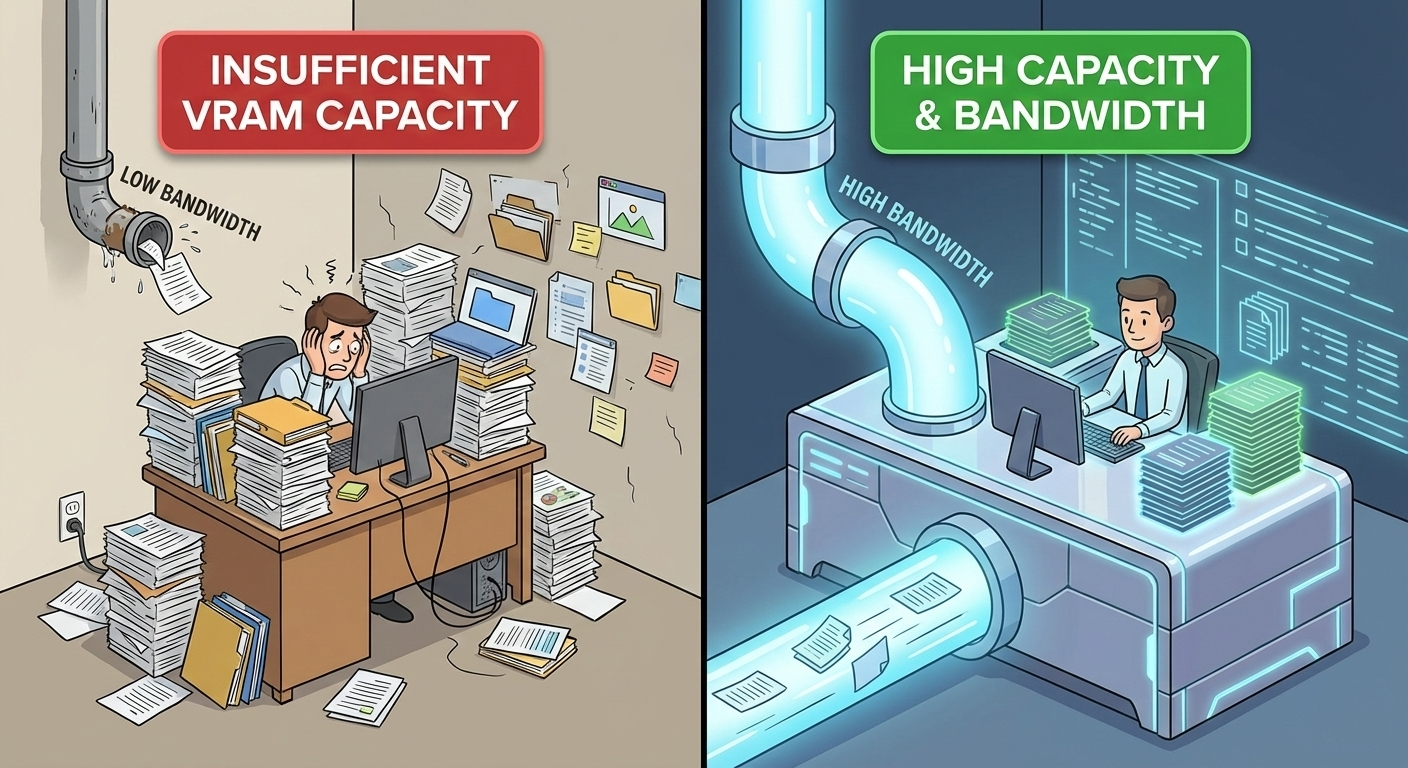
- Memory Capacity (VRAM): Think of VRAM like your physical desk workspace. If your project (your dataset or AI model) is huge, you need a massive desk to spread everything out. If your VRAM is too small, the GPU has to constantly shuffle data back and forth to slower parts of the computer, killing your performance. Simple tasks might need 16GB. Huge AI models might need 80GB.
- Memory Bandwidth: If Capacity is the size of the desk, Bandwidth is how fast you can grab papers off that desk. It’s the size of the “pipe” carrying data to the workers (cores). A huge amount of VRAM is useless if the pipe to the cores is skinny like a drinking straw. High bandwidth is essential for keeping powerful cores fed with data.
C. The Media Specialist: Hardware Video Encoding
If your workload involves streaming video, transcoding video files (changing formats), or pixel streaming for virtual reality, look for this feature. It is a dedicated section of the GPU chip that handles video crunching so the main cores don’t have to slow down to do it.
D. Scaling Up: Number of GPUs on the Board
Sometimes, one GPU isn’t enough. For massive AI training jobs or intense rendering, you might need a VM with 4 or even 8 GPUs linked together.
Warning: Just because you rent 8 GPUs doesn’t mean your job automatically goes 8x faster. Your software must be written specifically to take advantage of multiple GPUs at once.
3. The Speed vs. Cost Trade-Off (The Reality Check)
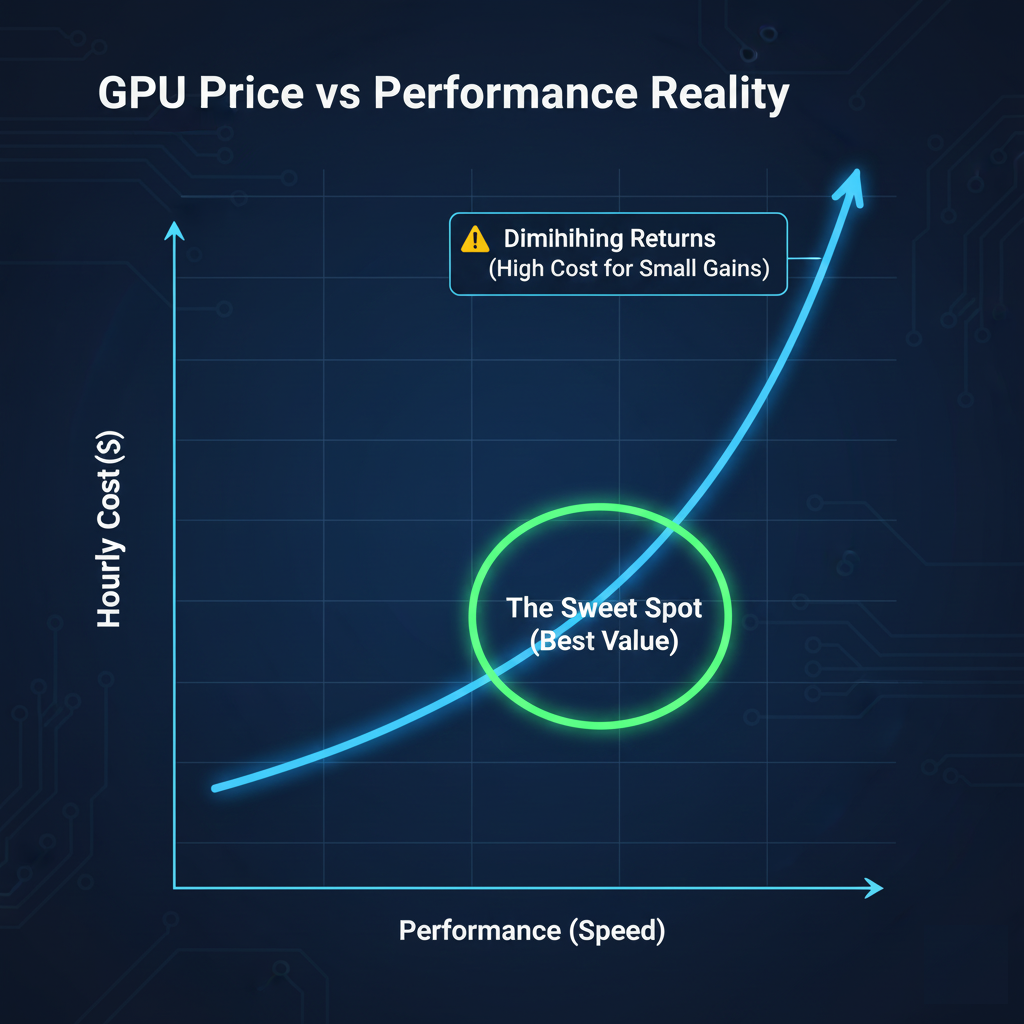
Everyone wants the fastest GPU with the most cores and memory, but nobody wants the bill. The relationship between performance and price in the cloud is rarely a straight line. Often, to get that last 20% boost in speed, you might have to pay 100% more. You need to find the “sweet spot” , the point where you get the most performance before the cost skyrockets.
4. The Supporting Cast (CPU, RAM, and Storage)
A common mistake is renting an expensive GPU and attaching it to a weak virtual machine. Imagine putting a jet engine on a bicycle frame. The frame can’t handle the power, and you won’t go very fast. The GPU needs to be fed data constantly. If your virtual machine has a slow CPU or insufficient system RAM, the super-fast GPU will just sit idle, waiting for instructions. If you use slow hard drive Storage instead of fast SSDs, the GPU will spend all its time waiting for files to load.
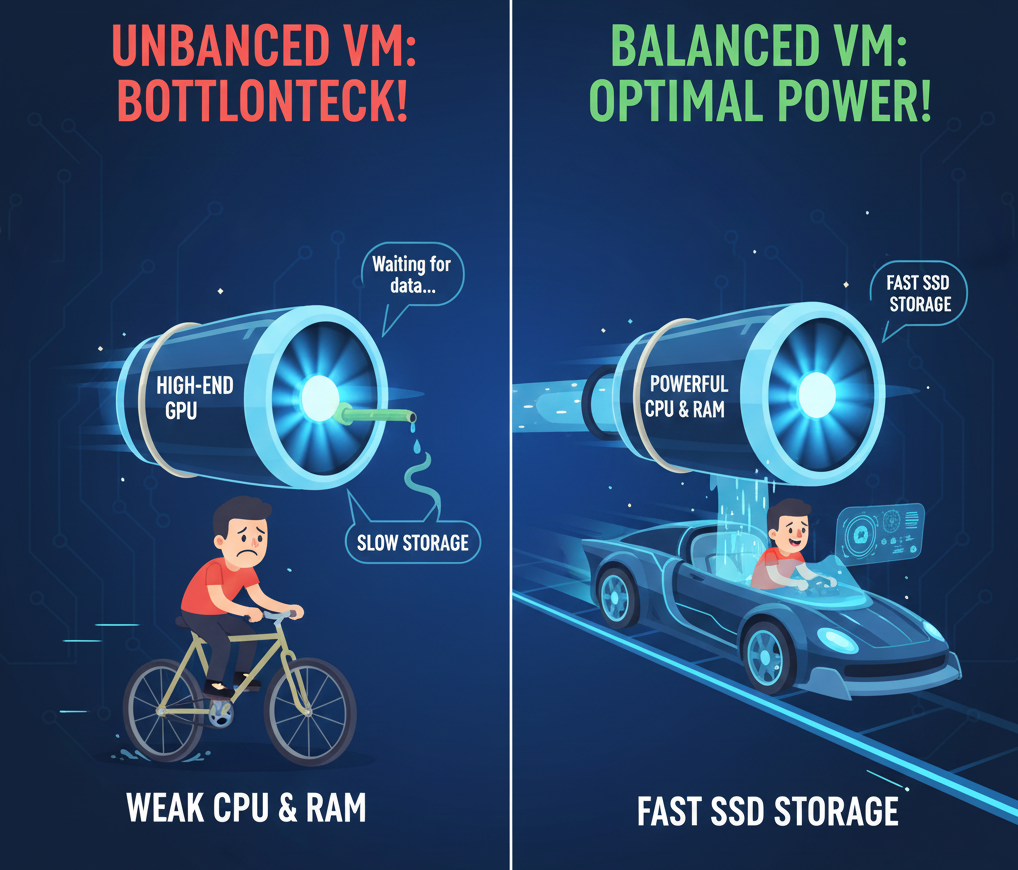
Ensure that you have a balanced VM where the CPU and RAM are powerful enough to keep up with the GPU you selected.
5. GPU Model and Architecture
The GPU itself is the most critical factor. Different GPU models are optimized for different workloads.
Modern data‑center GPUs such as NVIDIA H100, H200, and B200 are designed for large‑scale AI training and inference, offering advanced Tensor Cores, high memory bandwidth, and support for newer precision formats like FP8 and BF16. GPUs like A100 and V100 remain popular for enterprise AI and HPC workloads, while L40S, A10, L4, and RTX‑series GPUs are well suited for inference, visualization, media processing, and mixed workloads.
When evaluating GPU models, consider: – Compute capability and architecture generation – Support for Tensor Cores and mixed‑precision computing – Performance benchmarks relevant to your workload (training vs inference)
Choosing the wrong GPU can lead to either underutilization or unnecessary cost overruns.
6. Virtualization and Performance Overhead
Not all GPU virtualization technologies are the same. Some providers offer full GPU passthrough, while others use mediated or shared GPU approaches.
You should evaluate: – Whether the GPU is dedicated or shared – Expected performance overhead compared to bare metal – Consistency of performance under load
For latency‑sensitive or high‑performance training workloads, dedicated GPUs with passthrough provide near bare‑metal performance and predictable results.
7. Software Stack and Driver Support
A good GPU VM should provide a robust and well‑maintained software ecosystem.
Look for support for: – Popular Linux distributions (Ubuntu, AlmaLinux, Rocky Linux) – Preinstalled or easily installable NVIDIA drivers – CUDA, cuDNN, TensorRT, and NCCL compatibility – Frameworks like TensorFlow, PyTorch, and JAX
Preconfigured images can save significant setup time and reduce configuration errors, especially for teams without deep GPU expertise.
8. Pricing Model and Cost Transparency
GPU resources are expensive, making cost optimization essential.
Compare: – Hourly vs monthly pricing – On‑demand, reserved, or spot pricing options – Data transfer and storage costs
Transparent pricing helps avoid unexpected charges and allows accurate cost forecasting. Cheaper GPUs are not always cost‑effective if they result in slower training times.
Comparison Tables and Visual Aids
To make the GPU VM selection process easier and more actionable, the following tables and visual elements summarize key decision factors.
Table 1: GPU Types and Best-Fit Workloads
| GPU Category | Example Models | Best Use Cases | Typical Users |
| High-End AI Training | H100, H200, B200 | Large language models, deep learning training, HPC | AI labs, research institutes, large enterprises |
| Enterprise AI / HPC | A100, V100 | Model training, scientific computing, simulations | Enterprises, universities |
| Inference & Visualization | L40S, L4, A10 | AI inference, rendering, media processing | SaaS providers, startups |
| Professional Graphics | RTX 6000, A6000 | 3D design, CAD, digital content creation | Design studios, VFX teams |
| Consumer / Experimental | RTX 4090 | Prototyping, personal AI labs, experimentation | Developers, researchers |
Table 2: Key Resource Balance Checklist
| Component | Why It Matters | Recommendation |
| GPU | Core compute power | Match GPU architecture to workload type |
| GPU Memory | Model and dataset size | 24–80 GB depending on use case |
| CPU | Data preprocessing | Modern EPYC/Xeon with sufficient cores |
| System RAM | Feeding GPU efficiently | At least 2–4× GPU memory |
| Storage | Data loading speed | NVMe SSD preferred |
| Network | Distributed workloads | 25 Gbps or higher for multi-node jobs |
Table 3: Dedicated vs Shared GPU Comparison
| Feature | Dedicated GPU | Shared GPU |
| Performance | Near bare-metal | Variable under load |
| Isolation | High | Moderate |
| Cost | Higher | Lower |
| Predictability | Very consistent | Can fluctuate |
| Best For | Training, production | Inference, dev/test |
Conclusion
Choosing the right GPU Virtual Machine isn’t just about picking the one with the highest numbers on the spec sheet. It’s about balancing your specific needs against your budget. If you are training the next great AI, prioritize Tensor Cores and massive VRAM Capacity. If you are rendering an animated movie, prioritize RT Cores. And always ensure your VRAM Bandwidth is high enough so those cores aren’t left waiting.